
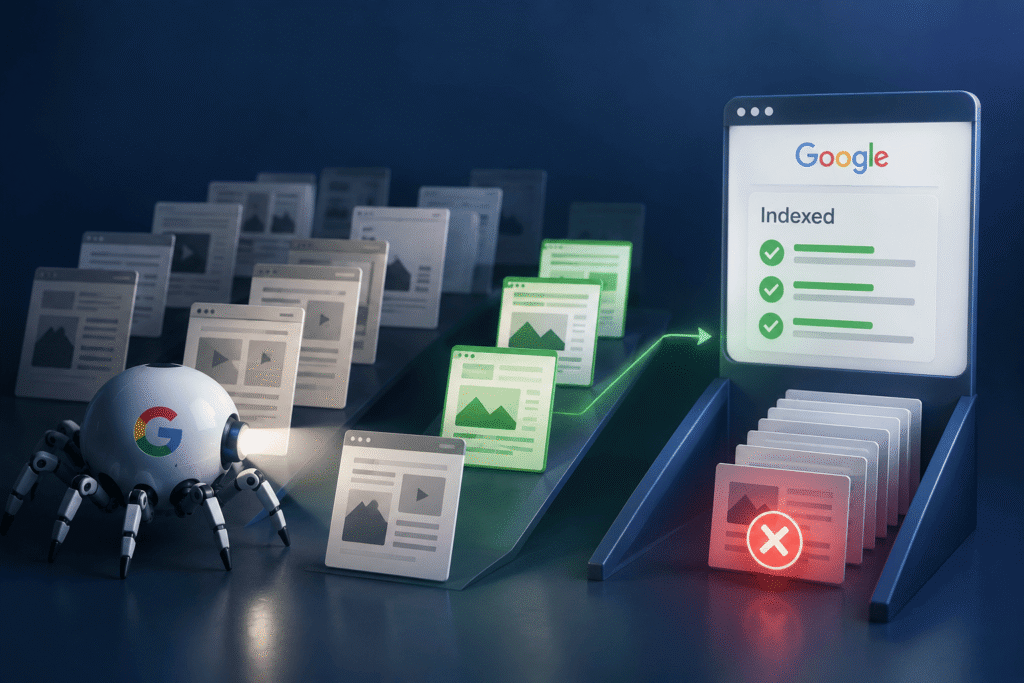
You have spent weeks crafting the perfect piece of content. You have polished every sentence and optimised every heading. You hit publish, submit your sitemap to Google, and wait.
Days pass. Then weeks. You check Google Search Console and see the dreaded words: “Crawled – currently not indexed” or “Discovered – currently not indexed.”
Your heart sinks. What went wrong?
Here is the uncomfortable truth. Google does not index everything. Not even close.
This is not a bug. It is a feature. Google has limited resources, and it is ruthlessly selective about what makes it into its index. A Google representative at a Search Central event in Toronto put it bluntly. When Google crawls a page, it essentially downloads it. Then, “If we think it’s useful, we might put it in a database.”
That word “might” is doing a lot of heavy lifting.
Let us explore why Google skips so much content, what common technical SEO issues prevent indexing, and how SEO audit services can help you diagnose and fix these problems.
The Brutal Truth: Google Has Limited Shelf Space
Before we talk about why your pages are not indexed, let us talk about why Google cannot index everything.
Crawling, rendering, and indexing the web cost massive amounts of energy and data centre resources. Google has to make choices. It cannot crawl every page on every website every day. It has to prioritise.
Think of it like a library with limited shelf space. The librarian, Google, has to decide which books and web pages are worth keeping. New books arrive constantly. Some are valuable. Many are not. The librarian has to be selective.
And here is the kicker. Google’s index itself has become a quality filter. The search engine applies strict quality controls to determine what deserves a spot in its index. As one Google representative explained, AI has made the threshold for creating things lower. If anyone can create content on anything, then the type of content Google wants to add to their index is content that offers two things: personal experience and knowledge no one else has.
If your page does not meet Google’s quality threshold, it will not be indexed. Period. Resubmitting it over and over will not help.
The Two Reasons Google Skips Your Pages
According to that same Google representative at the Toronto Search Central event, there are essentially two reasons why Google might crawl a page and decide not to index it.
Reason 1: Technical Barriers
Sometimes, Google wants to index your page but simply cannot. Technical issues are in the way. The page is blocked, broken, or inaccessible.
Reason 2: Quality Concerns
Other times, Google can index your page but chooses not to. The content does not meet its quality standards. It is thin, duplicate, low-value, or does not serve a genuine user need.
Let us break down each of these.
Common Technical SEO Issues That Block Indexing
If Google cannot access your page, it cannot index it. Here are the most common technical SEO issues that get in the way.
Robots.txt Blocking
Your robots.txt file tells search engines which parts of your site they can and cannot crawl. If you accidentally block important pages, Google will never even see them.
The fix: Review your robots.txt file. Ensure it is not blocking pages you want indexed. Use the robots.txt tester in Google Search Console to check.
Noindex Tags
A noindex tag tells Google explicitly not to index a page. Sometimes these are added intentionally. Sometimes they are added by accident through plugins or misconfigured CMS settings.
The fix: Check your page source for a noindex meta tag. If you find one and you want the page indexed, remove it.
Canonicalisation Issues
Canonical tags tell Google which version of a page is the master copy. If you point the canonical tag to a different URL, Google may decide not to index the page you want indexed.
The fix: Ensure your canonical tags point to the correct URL. Use consistent canonicals across your site.
HTTP Status Code Errors
Google only indexes pages that return a 200 (success) status code. If your page returns a 404 (not found), 500 (server error), or any other error code, it will not be indexed.
The fix: Check your server logs or use a crawler to identify pages returning error codes. Fix the underlying issues.
JavaScript Rendering Problems
Google can render JavaScript, but it is not always perfect. If your content relies heavily on JavaScript and Google cannot render it properly, the page may appear empty to Googlebot.
The fix: Use server-side rendering or pre-rendering for critical content. Ensure Googlebot can access your JavaScript files.
Quality Issues That Keep Pages Out of the Index
Even if Google can crawl your page perfectly, it might still choose not to index it. Here is why.
Thin Content
If your page has very little content, or if the content does not provide value, Google may decide it is not worth indexing.
The fix: Add substantial, useful content to your pages. Aim for depth, not just length.
Duplicate Content
If your page is substantially similar to another page on your site or elsewhere on the web, Google may index only one version.
The fix: Consolidate duplicate pages. Use 301 redirects or canonical tags to point to the master version.
Commodity Content
This is the big one. Marie Haynes, an SEO expert who has analysed countless sites with indexing issues, notes that in almost every case she has examined, pages stuck in “crawled – currently not indexed” have quality issues. They are usually “commodity content.” This means they are essentially rehashing what many others have already written on a topic without offering anything new or more helpful than what currently exists online.
The fix: Add original research, unique insights, or a fresh perspective. Give users a reason to visit your page instead of someone else’s. Show personal experience and knowledge that no one else has.
Unclear Structure
If Google cannot easily understand what your page is about, it may decide it is not useful for search results.
The fix: Use clear headings, logical structure, and proper HTML semantics. Make it easy for Google to understand your content.
The “Crawled – Currently Not Indexed” Purgatory
This is one of the most frustrating statuses in Google Search Console. Let us talk about what it really means.
What It Means
“Crawled – currently not indexed” means Google has visited your page, processed it, and decided not to include it in its index. It is not a technical error. It is a quality decision.
What It Does Not Mean
It does not mean your page is penalised. It does not mean your page is blocked. It simply means Google looked at your page and decided it was not worth keeping.
The Commodity Content Connection
As Marie Haynes points out, if you have pages that you want indexed, but Google has them in the crawled-not currently indexed bucket, your main issue is likely related to commodity content. The content is not offering anything new or unique.
Why Resubmitting Does Not Work
Many website owners respond by resubmitting the page over and over. This does not help. If Google has already decided the page does not meet its quality threshold, resubmitting will not change that.
The fix: Improve the page. Add more value. Make it genuinely useful. Then request indexing again.
The Indexing API Illusion
Many website owners believe they have found a shortcut. Google’s Indexing API lets site owners notify Google when certain pages are added, updated, or removed. It sounds like a cheat code.
But here is the catch. This is not a general-purpose indexing API for every URL on your website. Google says the API can only be used for pages with JobPosting structured data or livestream pages using BroadcastEvent. It is not for blog posts, category pages, service pages, product pages, or any other URL you wish Google would crawl faster.
What a Successful API Response Means
A successful API response does not mean what many people want it to mean. It does not mean the URL was indexed. It does not mean the URL appears in Google’s index. It means Google received your notification. That is it.
Google’s own documentation says that when you send an update request and receive an HTTP 200 response, Google may try to recrawl the URL soon. When you send a delete request, Google may remove the URL from the index.
That word “may” is doing a lot of work. Not will. Not did. Not confirmed. “May.”
The Reality Check
For job boards, the API can be insanely effective. But for most websites, it is not the shortcut people think it is. A successful API response feels like progress because technical actions are easy to measure. The request was sent. The server responded. But that does not mean indexing happened.
How SEO Audit Services Can Help
If your pages are not being indexed, a technical SEO audit can help you identify and fix the underlying issues.
What an SEO Audit Covers
| Area | What Is Checked |
| Crawlability | Robots.txt, sitemaps, server responses |
| Indexability | Noindex tags, canonical tags, meta robots |
| Content Quality | Thin content, duplication, originality, commodity content |
| Site Architecture | Depth, internal linking, navigation |
| Technical Health | HTTP status codes, JavaScript rendering, page speed |
Why You Need Professional Help
Technical SEO issues can be tricky to diagnose. What looks like a quality issue might be a technical one, and vice versa. Professional SEO audit services bring expertise and tools that most website owners do not have access to.
What to Look for in an SEO Audit Service
- Comprehensive coverage: The audit should cover both technical and quality factors.
- Actionable recommendations: The report should tell you exactly what to fix and how.
- Ongoing support: Indexing issues are not always one-and-done. You may need ongoing monitoring and support.
Practical Technical SEO Solutions
Here are some concrete technical SEO solutions you can implement right now.
Solution 1: Audit Your Robots.txt
Use the robots.txt tester in Google Search Console. Make sure you are not blocking important pages.
Solution 2: Check Your Noindex Tags
Use a site crawler to find pages with noindex tags. Remove the tags from pages you want indexed.
Solution 3: Fix Canonical Tags
Ensure every page has a self-referencing canonical tag (pointing to itself) unless there is a good reason not to.
Solution 4: Improve Site Speed
Slow pages consume more crawl budget. Faster pages get crawled more frequently.
Solution 5: Update Your Sitemap
Make sure your sitemap is up to date and submitted to Google Search Console. Remember, Google does not guarantee it will index every URL in your sitemap.
Solution 6: Improve Content Quality
This is the hardest but most important fix. Add genuine value. Demonstrate expertise. Give users a reason to visit your page. Show personal experience and knowledge that no one else has.
Solution 7: Request Indexing Strategically
Use the URL Inspection tool in Google Search Console to request indexing for your most important pages. But only after you have fixed the underlying issues. Note that Google applies limits to manual URL submissions, with users typically reporting being limited to 10–15 URL submissions per day.
The Future of Indexing
Where is all this heading?
The Quality Threshold Is Rising
Google is getting stricter about what it indexes. The days of throwing content at the wall and hoping something sticks are over.
AI Content Is Under Scrutiny
Mass-produced AI content is increasingly failing to meet Google’s quality standards. If you are using AI to produce content at scale, you need to ensure it offers genuine value. As one Google representative noted, AI has made the threshold for creating things lower, so Google is looking for content that offers personal experience and knowledge no one else has.
Indexing Is Becoming More Selective
Google is moving toward a “default to not index” approach. It only includes content in its index when it perceives a genuine need. This trend is likely to continue.
Wrapping Up
Google does not index everything. It never has. And as the web continues to grow, it is only going to get more selective.
The good news is that understanding why Google skips your pages is the first step to fixing it. Whether the issue is technical SEO or content quality, there are concrete steps you can take to improve your chances of being indexed.
Start with a thorough audit. Identify what is blocking Google. Fix the technical issues. Improve the content. Then request indexing again.
Remember, Google is not your enemy. It is trying to serve the best possible results to its users. If your content is genuinely useful, authoritative, and valuable, Google will find it and index it.
But if your content is thin, duplicate, or low-value commodity content, no amount of resubmitting or API calls will help.
The choice is yours.
Need Help with Your Indexing Issues?
At Techosoft Solutions, we understand how frustrating it can be when your content does not get indexed. Our team of SEO experts offers comprehensive SEO audit services to identify and fix technical SEO issues that are holding your website back. We provide technical SEO solutions tailored to your business needs, helping you get your pages indexed and ranking.
Whether you need a complete website audit, content optimisation, or ongoing SEO support, we are here to help. We also offer content writing services to ensure your content meets Google’s quality standards.
Ready to fix your indexing problems? Contact Techosoft Solutions today for a consultation. Let us help you get the visibility your content deserves.
Frequently Asked Questions
1. Why does Google not index all my pages?
Google has limited resources and applies strict quality filters. It only indexes pages that meet its quality threshold and provide genuine value to users. As one Google representative explained, Google looks for content that offers personal experience and knowledge no one else has.
2. What is the difference between “crawled” and “indexed”?
Crawled means Google has visited your page. Indexed means Google has stored your page in its index, and it can appear in search results. Many pages are crawled but never indexed.
3. How can I check if my pages are indexed?
Use the URL Inspection tool in Google Search Console. It will tell you whether a page is indexed and, if not, why.
4. Will resubmitting a page help it get indexed?
Usually not. If Google has already decided a page does not meet its quality threshold, resubmitting will not change that. You need to improve the page first.
5. Can the Indexing API help me get my pages indexed faster?
Only if your pages are job postings or livestream pages. The Indexing API is not a general-purpose indexing tool. A successful API response does not mean your page was indexed.
6. How can SEO audit services help with indexing issues?
SEO audit services can identify both technical and quality issues that are preventing indexing. They provide actionable recommendations to fix these issues and improve your chances of being indexed.